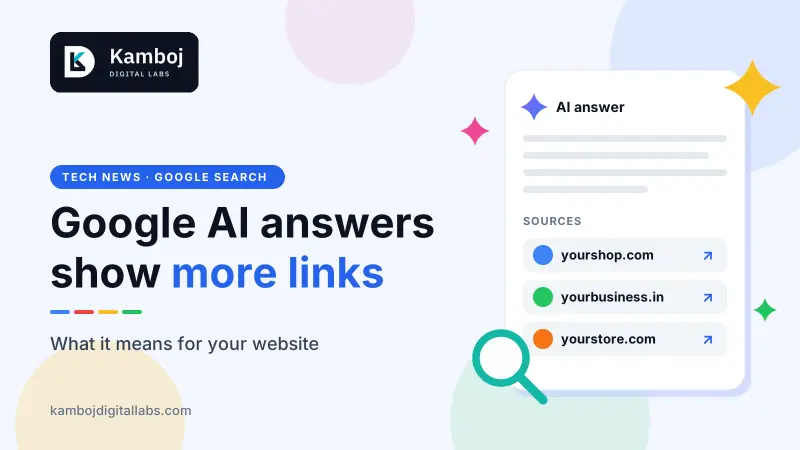
Google AI Mode links are changing. On 15 October 2026, Google said it will show more website links inside its AI answers. That sounds like good news for business owners. But Google shared no traffic numbers, so nobody knows yet how many extra visitors this will bring.
Here is what changed, what did not, and what you can check on your own website today.
What Google announced about AI Mode links
First, two simple terms. AI Overviews are the AI summaries that appear at the top of some Google results. AI Mode is a separate tab where you chat with Google and get a longer answer. Both show links to the websites behind the answer.
Google’s announcement lists five changes:
More links inside the answer text. Google says it has made “continued and substantial increases” in these links. It is also launching changes to show them higher up more often. Status: launching now.
A section for official websites. Google will show the most useful official sites near the top of some answers, with a short note on why each one helps. Status: testing.
News boxes in more places and languages. They will also highlight the news sources a user has chosen as Preferred Sources. Status: rolling out.
Related article links at the end of answers. These become more prominent and easier to click. Google did not say if this is a launch or a test.
Clickable creator and publisher names on video results in AI Mode. The name links to the creator’s Search profile. Status: testing.
Tests can change, or never launch. We could not find a country list for each change. [CONFIRM: check Google’s announcement for which changes reach India, and when]
What nobody knows yet
Google described where links will appear. It did not say how many people will click them.
More links does not always mean more visits. A Pew Research Center study of searches from March 2025 found that about 1 in 100 searches with an AI summary led to a click on a link inside the summary. [CONFIRM: check this figure on the Pew Research Center website before posting] That study is older than these changes, so it cannot tell us the new effect.
So treat this as a possible chance, not a promise. Anyone who guarantees you AI traffic is guessing.
What Google says you need to do to appear in AI answers
Google has an official page called “AI features and your website”. A page can appear as a link in AI Overviews or AI Mode when it is indexed and allowed to show a snippet in normal Google Search. “Indexed” means Google has found the page and saved it. A “snippet” is the short preview text under a search result.
Google also says you do not need special markup, extra files or secret tricks. Even a perfect page is not guaranteed to be shown.
There are no additional requirements to appear in AI Overviews or AI Mode, nor other special optimizations necessary.
Five things to check on your website this week
The basics matter most. They are the same basics as normal SEO (search engine optimisation, which means helping Google understand your site).
1. Let Google in
Make sure your robots.txt file, your hosting and your CDN (the service that makes your site faster) do not block Google. Then add your site to Google Search Console. It is free and it shows errors on your site.
2. Keep important words as text
Put prices, services, timings and addresses in real text. Do not keep them only inside images, sliders or PDFs.
3. Make pages fast and easy on mobile
Most visitors use a phone. Slow pages and broken mobile layouts hurt every kind of search.
4. Link your pages to each other
Link from your home page to your main service pages, and between related pages. It helps Google and visitors find things.
5. Keep your business details current
Update your Google Business Profile. If you sell products, keep your Merchant Center details current too. Check name, phone, address, opening hours and prices.
If a developer built your website, send them this list and ask for a yes or no on each point. Our services page shows what we build.
Can you control what Google shows?
Partly, yes. Google gives controls called nosnippet, data-nosnippet and max-snippet to limit what Search shows from a page. The noindex setting keeps a page out of Search completely. Use them with care. If you hide your content, you also reduce your chance of being shown as a link. Ask your developer before you change them.
Want a website that Google can read easily?
We build fast, mobile-friendly websites with clean page structure and Search Console set up. Tell us about your website and what you want it to do.
Start a projectDo I need special SEO for Google AI Mode?
No. Google says there are no additional requirements and no special optimisations. Your page must be indexed and allowed to show a snippet in Google Search.
Will more links in AI answers bring more visitors?
Nobody knows yet. Google described where links will appear, but it gave no click data. Treat it as a possible chance, not a promise.
What is the difference between AI Overviews and AI Mode?
AI Overviews are short AI summaries at the top of some search results. AI Mode is a separate tab where you chat with Google and get longer answers. Both show links to sources.
Can I stop Google from showing my content in AI answers?
You can limit what Search shows with nosnippet, data-nosnippet or max-snippet. Noindex removes a page from Search completely. These settings can also reduce your visibility, so ask your developer first.
Are these changes available in India?
Google did not give a full country list in the post we read. The news boxes are rolling out to more places and languages.